

Ask the Azure AD (Entra) provider to generate a new certificate.
-> Microsoft 365 Admin Centre
-> Microsoft Azure
-> Manage Entra ID
-> Enterprise Applications (find SNOW application to update)
-> Manage -> Single Sign-on
-> SAML Certificate (edit)
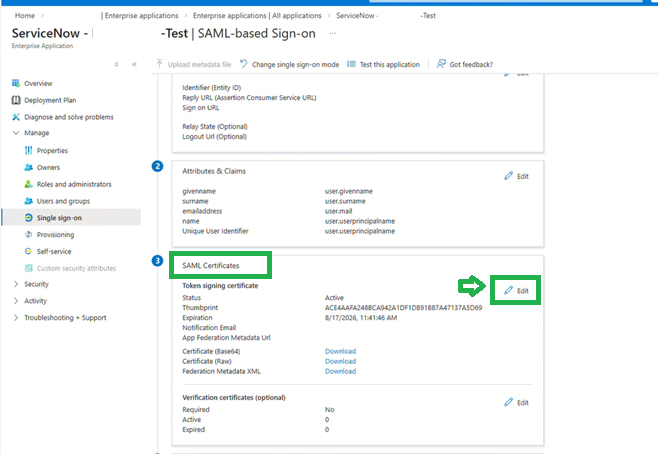
-> Click ‘New Certificate’ link on top
-> Generate Certificate Type (PEM)
Now Go To ServiceNow and add Certificate Generated from Microsoft 365 Admin Centre:
- Go to ‘Identity Providers‘ form in ServiceNow (make sure you are in ‘Global‘ domain if in a domain separated instance) [https://[instance_name].service-now.com/now/nav/ui/classic/params/target/sso_properties_list.do]
- Open Identity Provider Record with expired certificate and scroll down to bottom.
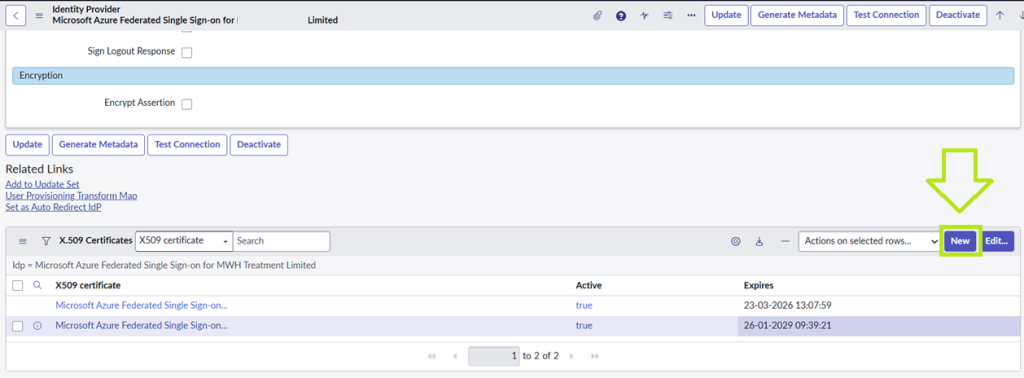
- Copy the previous certificate name and click ‘New’ and name the new certificate with same name.
- (if user to alert 20 days before expiry is not you then change this).
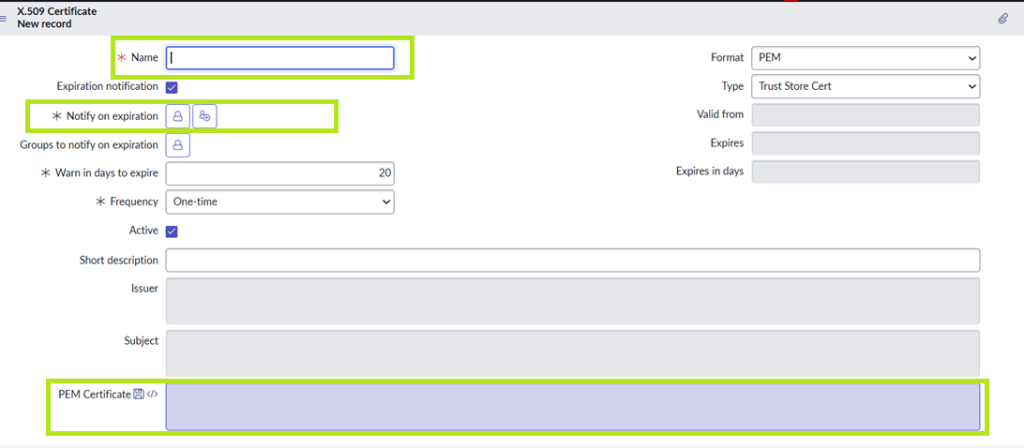
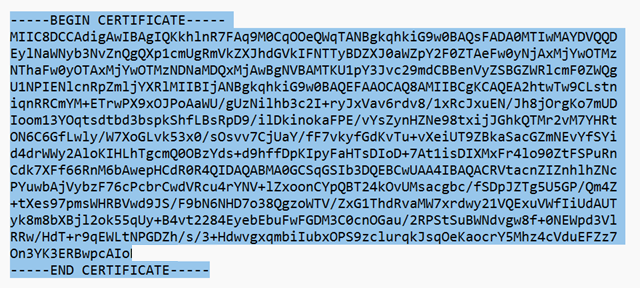
- Add certificate string to the ‘PEM Certificate’ box and click ‘Submit’.
String example:
- Confirm that you now have the new certificate added at the bottom of the screen.